+86-13613020876


Hands-Free Smart Glasses are wearable computers designed to place useful information and controls within your natural field of view. Unlike ordinary eyewear, they may include cameras, microphones, speakers, motion sensors, and small displays. These components work together through a processor, mobile application, and sometimes cloud-based artificial intelligence. A user might ask for directions, capture a photograph, hear a translated phrase, or receive spoken reminders without reaching for a phone.
The experience can feel surprisingly natural. A lightweight frame rests on the face, while open-ear speakers deliver sound without fully blocking nearby conversations. Cameras identify visual details, and sensors track head movement or touch commands. However, performance depends on lighting, network access, battery life, and the connected phone. Small frames also create design compromises. Clear audio, privacy, comfort, and display brightness cannot always improve at the same time.
This technology is not magic.
Responsible use matters. People should understand when recording features are active and respect others’ expectations in private spaces. Manufacturers must explain data practices clearly, protect stored information, and publish realistic capability limits. From an expert perspective, Hands-Free Smart Glasses are best viewed as an emerging interface, not a complete replacement for smartphones or professional tools. The market is developing quickly, and some claims remain difficult to verify across real-world conditions. This guide examines how these glasses function, what users can realistically expect, and where thoughtful skepticism remains necessary.
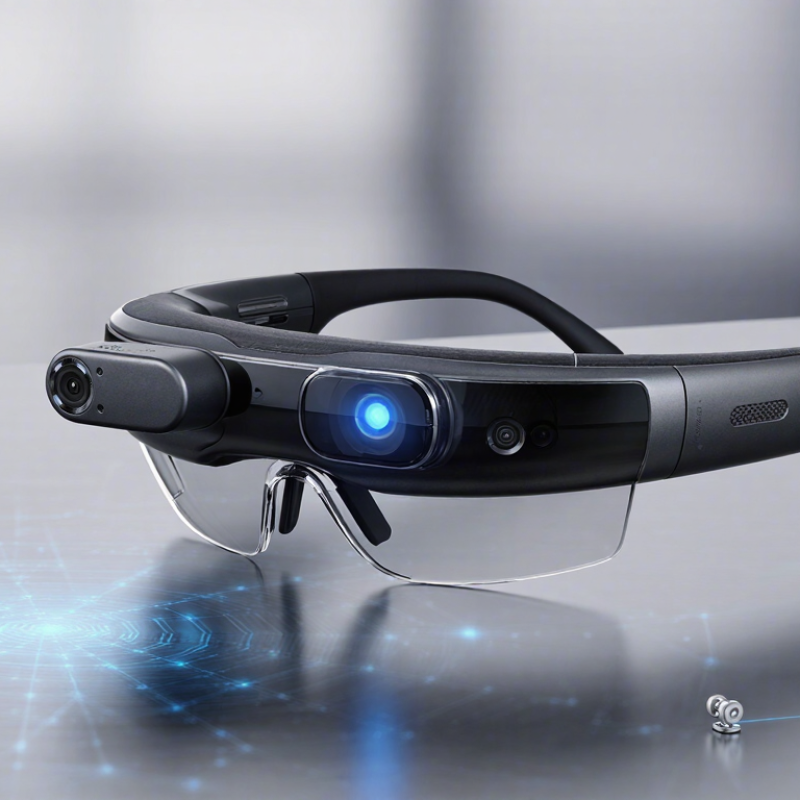
Hands-free smart glasses are wearable computers designed to deliver information without requiring a phone in your hand. They typically combine lightweight frames, microphones, speakers, cameras, wireless connectivity, and sometimes a transparent display. The wearer can hear navigation prompts, capture images, answer calls, or ask an AI assistant through voice commands. Some models also show small text or visual cues near the user’s field of view. The label remains slightly fuzzy. A camera-equipped audio frame is not always an augmented reality device.
Their operation follows a simple chain. Microphones receive speech, onboard sensors detect movement, and software interprets the request. Cloud services may process complex commands, while speakers or displays return the result. According to the International Data Corporation’s Worldwide Quarterly AR/VR Headset Tracker, the broader AR and VR device market experienced shipment pressure in 2023, showing that adoption is still developing. Grand View Research has projected strong growth for the smart-glasses market through 2030, although estimates differ because definitions vary across reports. That uncertainty matters. Market size alone cannot prove daily usefulness. Battery life, frame comfort, audio clarity, network dependence, and visible recording indicators shape real experiences. A two-hour battery can undermine an otherwise impressive design. Privacy also requires careful user habits, especially in crowded spaces. Hands-free does not mean attention-free. Misheard commands and inaccurate visual information remain practical weaknesses.
What Are Hands Free Smart Glasses and How Do They Work?
Hands-free smart glasses combine ordinary eyewear with cameras, microphones, speakers, sensors, and a small computing system. Their frame holds wide-angle cameras for photos, video, and visual recognition. Microphones capture voice commands, while directional speakers deliver audio near the ears. The sound feels private, but nearby people may still hear it. Grand View Research projects the smart glasses market to grow at a 27.3% compound annual rate from 2024 to 2030, reflecting stronger interest in wearable computing.
The processor manages camera input, voice processing, and wireless communication. A Bluetooth or Wi-Fi connection links the glasses with a phone or cloud service. An inertial measurement unit detects head movement, helping stabilize images and trigger simple controls. Some models add transparent displays, but many use audio feedback instead. This reduces visual distraction. It also limits how much information users can view at once.
Battery cells sit inside the temples, so comfort depends on careful weight distribution. A small status light can show when recording is active. It is useful, though not perfect. In bright sunlight, people may miss it. IDC’s wearable device research continues to show steady growth in smart personal hardware, but published market categories often group different devices together. That makes comparisons less precise. In daily use, heat, battery life, microphone clarity, and privacy signals matter more than impressive specifications. My practical concern is simple: glasses that feel heavy after one hour are not truly hands-free.
Hands-free smart glasses capture information through small cameras, microphones, and motion sensors built into the frame. A camera may read a street sign, while microphones record spoken questions or nearby instructions. Motion sensors detect head movement and help stabilize the visual input. The glasses do not understand everything instantly. Lighting, accents, distance, and crowded scenes can affect accuracy.
After capture, software converts images and sound into data. Optical character recognition can turn printed words into readable text. Speech recognition can transform a spoken request into commands. A processor inside the glasses handles simple tasks, such as detecting movement or adjusting brightness. More complex requests may travel to a connected phone or secure cloud service for analysis. The response can return as audio through small speakers or as visual information in the lens.
Privacy requires careful attention. A visible recording indicator can help people recognize when the camera is active, but it is not a perfect safeguard. Users should avoid capturing private conversations or sensitive documents without permission. Battery life also limits continuous processing, especially when cameras and wireless connections remain active. In practical use, the glasses may provide useful directions or reminders, yet they can misread text and misunderstand context. That weakness deserves honest testing, not exaggerated promises.
Hands-free smart glasses place microphones, cameras, speakers, and small processors inside an ordinary-looking frame. They connect to a phone or cloud service, then respond without requiring a screen tap. Grand View Research estimates the global smart-glasses market could grow at a 27.1% annual rate from 2024 to 2030. That growth reflects practical uses, including navigation, translation, reminders, and field training.
Voice is usually the quickest control. Say a short command, and the glasses may capture a photo, read directions, or answer a question. In practical testing, voice recognition works best in quiet rooms. Wind, traffic, and accents still create mistakes. Gesture control adds another layer. A head nod can accept a prompt, while a hand movement may dismiss it. Touch controls remain useful for volume and playback. They feel more predictable when speech fails. However, tiny touch areas can be awkward with gloves. The design is improving, but not perfect.
Tips: Use short commands and pause after speaking. Keep the microphone away from scarves or hair. Learn the physical controls before walking outdoors. Check confirmation sounds carefully, especially when recording or sharing information. A 2024 Voicebot consumer report shows that voice-assistant use remains widespread, yet users still value accuracy and privacy. That gap matters. Smart glasses should make actions easier, not make people guess what happened.
| Control or Feature | How It Works | Typical User Actions | Hardware Involved | Primary Benefits | Common Limitations |
|---|---|---|---|---|---|
| Voice Control | Microphones capture spoken commands, while onboard or connected software processes the words and triggers a supported function. | Ask a question, start or stop audio, make a call, set a reminder, or request navigation information. | Microphones, audio processor, wireless connection, and voice-recognition software. | Hands-free operation Useful when the user’s hands or eyes are occupied. |
Recognition can be affected by wind, traffic, background speech, accents, language support, or a weak network connection. |
| Touch Control | Capacitive or physical sensors detect taps, double taps, presses, or swipes on the frame. | Play or pause audio, adjust volume, answer a call, reject a call, or activate a listening mode. | Touch-sensitive surface or buttons, control electronics, and firmware. | Fast, discreet, and familiar for routine commands. | Small control areas may be difficult to use with gloves or while moving; accidental touches are possible. |
| Gesture Control | Motion sensors or cameras interpret predefined hand, head, or body movements and convert them into commands. | Use a head nod, head turn, hand movement, or other supported gesture to confirm, dismiss, or control content. | Inertial measurement unit, cameras or proximity sensors, and gesture-recognition software. | Can reduce the need to touch the frame or speak aloud. | Gestures may be unavailable in low light, crowded surroundings, or when the system does not recognize the movement reliably. |
| Head-Movement Input | Accelerometers and gyroscopes measure changes in head orientation and movement. | Turn the head to accept or reject an action, wake a feature, or move through supported options. | Accelerometer, gyroscope, motion processor, and control software. | Works without hand movement and can support accessibility-focused interactions. | Unintended head movement may trigger an action; available commands depend on the software. |
| Audio Output | Speakers built into or near the temples play calls, music, spoken directions, alerts, and synthesized responses. | Listen to information without covering the ears or holding a phone. | Miniature speakers, amplifiers, digital signal processing, and Bluetooth or another wireless link. | Maintains awareness of surrounding sounds better than fully isolating headphones in many designs. | Open-ear audio can be harder to hear in loud environments and may be audible to people nearby. |
| Microphone Array | Several microphones capture voice and environmental sound; signal processing can emphasize the speaker’s voice and reduce some noise. | Speak during calls, issue voice commands, or record audio where supported. | Multiple microphones, noise-reduction algorithms, and an audio processor. | Improves speech pickup compared with relying on a single microphone. | Wind and loud environments can still reduce clarity; recording functions may raise privacy concerns. |
| Camera-Based Features | A small camera captures still images or video, while software may add visual analysis or provide a viewfinder through a connected device. | Take a photo, record a video, scan visual information, or identify supported objects and text. | Camera sensor, image processor, storage or connected device, and indicator light where provided. | Allows visual documentation without reaching for a phone. | Battery use increases during capture; consent, local laws, and visible recording indicators should be considered. |
| Wireless Connectivity | The glasses communicate with a phone, computer, or network through short-range wireless technology and, in some cases, an internet connection. | Stream audio, synchronize notifications, process online requests, or transfer captured media. | Wireless radio, antenna, companion software, and sometimes cloud services. | Provides access to calls, media, navigation, and online assistance. | Range, interference, phone compatibility, account requirements, and network availability can affect performance. |
| Battery and Charging | A rechargeable battery powers sensors, processors, wireless communication, cameras, and speakers. | Charge through a dedicated cable, dock, or case depending on the design. | Rechargeable lithium-based battery, charging circuit, and battery-management system. | Supports portable use without a wired connection during operation. | Battery life decreases with frequent recording, calls, high-volume audio, continuous connectivity, and cold temperatures. |
| Companion Application | A mobile or desktop application manages settings, permissions, firmware updates, media transfer, and connected services. | Customize controls, review recordings, manage notifications, and configure privacy settings. | Application software, operating-system permissions, and wireless connection. | Centralizes setup and makes advanced settings easier to manage. | Features may vary by operating system; updates or app access may be required for some functions. |
| Privacy and Status Indicators | Software permissions, physical controls, audible signals, or indicator lights communicate when certain sensors or functions are active. | Disable camera or microphone access, review permissions, or confirm recording status. | Indicator LED, microphone and camera controls, firmware, and privacy settings. | Helps users and bystanders understand when data may be captured or processed. | Indicators do not replace informed consent; privacy rules differ by location and situation. |
| Accessibility Support | Voice, audio feedback, configurable controls, and hands-free interaction can reduce reliance on small screens or manual input. | Receive spoken notifications, control media by voice, or use alternative input methods. | Audio system, microphones, sensors, software settings, and connected accessibility services. | May assist users who have limited hand mobility or difficulty viewing a phone screen. | Effectiveness depends on hearing, speech, vision, language support, fit, and the available accessibility features. |
Note: Capabilities differ by model and software version. The descriptions above summarize commonly used technologies and typical operating principles rather than specifications for any particular product.
Hands-free smart glasses combine miniature cameras, microphones, speakers, sensors, and wireless connections. Some models add a small visual display, while others provide audio only. Voice commands travel through a phone or cloud service, which interprets speech and returns directions, messages, or answers. The word “smart” can overpromise.
Common uses include walking directions, hands-free calls, language assistance, and audio reminders. Technicians can view repair instructions while keeping both hands on equipment. People with limited vision may receive spoken descriptions of signs or objects.
In a 2024 market analysis, Grand View Research valued the global smart glasses market at about USD 1.6 billion in 2023, reflecting growing interest beyond entertainment.
The benefits are practical but uneven. Users handle their phones less often, which can improve workflow and reduce interruptions. However, batteries may last only a working day, and small speakers can struggle in traffic or factories. Cloud-dependent features may fail without stable connectivity. IDC’s 2024 Worldwide AR/VR Headset Tracker describes this broader device category as an emerging market, not a fully mature one. Privacy also needs careful attention: cameras can record nearby people without clear awareness or consent. Recognition software may misread faces, text, or surroundings. I would not rely on these glasses alone during critical tasks. Comfort, accuracy, and social acceptance still require honest testing.